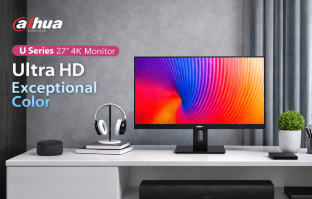
Dahua Technology — a name better known in the security camera and surveillance industry — has made a bold entry into the consumer monitor space with the LM27 U401A. This 27-inch 4K UHD IPS display is aimed squarely at professionals, content creators, and power users in Nepal who want colour accuracy and a large workspace without paying a premium brand tax. On paper, the specifications are impressive. In real-world use, it largely delivers on those promises.
Build Quality & Design
The LM27 U401A makes a strong first impression straight out of the box. The monitor features ultra-thin bezels on three sides — top, left, and right — measuring just 6mm each, which makes it ideal for multi-monitor setups where screen continuity matters. The bottom bezel is slightly thicker to accommodate the subtle Dahua branding and control buttons, but it never feels obtrusive.
The stand is sturdy and offers a reasonable tilt adjustment (from -5° to +15°), though it lacks height adjustment or pivot rotation out of the box. The VESA 100×100mm mount on the back means you can pair it with a third-party arm if you need more flexibility. The overall build uses a matte black plastic chassis that feels solid — there is no flex or creaking — and the matte screen coating does an excellent job of reducing distracting reflections in office environments.
Display Quality
This is where the LM27 U401A genuinely shines. The 27-inch IPS panel renders a 3840×2160 (4K UHD) resolution at a pixel density of roughly 163 PPI, which means text and images appear razor-sharp. At typical viewing distances of 60–80cm, individual pixels are completely indistinguishable to the naked eye.
Dahua ships this monitor with factory Delta E<2 colour calibration, meaning colour accuracy is verified before it leaves the factory — a feature you typically only find on professional monitors costing significantly more. The display covers 95% of the DCI-P3 colour space and 99% of sRGB, making it equally at home editing photos, colour-grading videos, or simply consuming high-quality content.
Peak brightness is rated at 350 nits. This is adequate for most indoor environments with controlled lighting, but if your workspace has large windows or direct sunlight, you may find the screen slightly dim during the brightest parts of the day. There is no HDR certification on this panel, which is a minor limitation for HDR content playback. The IPS panel also delivers excellent viewing angles — up to 178° horizontal and vertical — so colours and contrast remain consistent whether you are sitting directly in front or off to the side.
The refresh rate is 60Hz, which is standard for a professional colour-accurate display. If you are a competitive gamer looking for 144Hz or higher, this is not your monitor. But for creative work, video editing, coding, or general productivity, 60Hz is perfectly smooth and entirely sufficient.
Connectivity
The port selection on the LM27 U401A is one of its strongest selling points. Around the back you will find:
- 2× HDMI 2.0 — supports 4K at 60Hz on both ports
- 1× DisplayPort 1.4 — ideal for connecting a desktop GPU for maximum bandwidth
- 1× USB-C with 65W Power Delivery — connect a modern laptop and charge it simultaneously with a single cable
- 4× USB-A 3.0 — turn the monitor into a USB hub for your keyboard, mouse, and drives
- 3.5mm audio out — for connecting headphones or external speakers
The USB-C with 65W PD is a particularly welcome feature. For MacBook Air or Dell XPS users, a single cable handles both display output and laptop charging, dramatically reducing desk clutter. It is a feature that still commands a premium on many competing monitors in this price range.
Performance in Daily Use
After extended daily use across tasks including photo editing in Lightroom, 4K video editing in DaVinci Resolve, spreadsheet work, and general web browsing, the LM27 U401A holds up well. Colour consistency across the screen is excellent with no visible banding or uniformity issues. The matte coating keeps things comfortable during long sessions, avoiding the eye strain that glossy panels sometimes cause under artificial lighting.
The on-screen display (OSD) menu is navigated via physical buttons on the bottom bezel. The menu layout is logical and well-organised, with controls for brightness, contrast, colour temperature, input selection, and picture mode. There are several preset modes — Standard, sRGB, Movie, and User — that offer a reasonable starting point for different use cases.
Price & Value in Nepal
The Dahua LM27 U401A is positioned at a mid-range price point in Nepal, making it significantly more affordable than comparable offerings from established monitor brands like LG, BenQ, or Dell that offer similar colour accuracy and factory calibration. For creative professionals, design students, or anyone upgrading from a 1080p or 1440p display, the value proposition is compelling.
Verdict
The Dahua LM27 U401A is a genuinely impressive monitor that punches above its price bracket. It offers factory-calibrated colour accuracy, 4K sharpness, generous connectivity including USB-C PD, and a clean professional design. The 60Hz refresh rate and modest 350 nit brightness are the only meaningful limitations, and neither is a dealbreaker for its target audience. If you need a colour-accurate 4K workspace in Nepal without spending a fortune, this monitor deserves serious consideration.